A living page you can share.
Start typing, share the link, and edit together in real time. No signup required.
From blank page to shared page in three steps
Start typing
One click opens a fresh page with its own link. No signup, no setup, and the cursor is already where you need it.
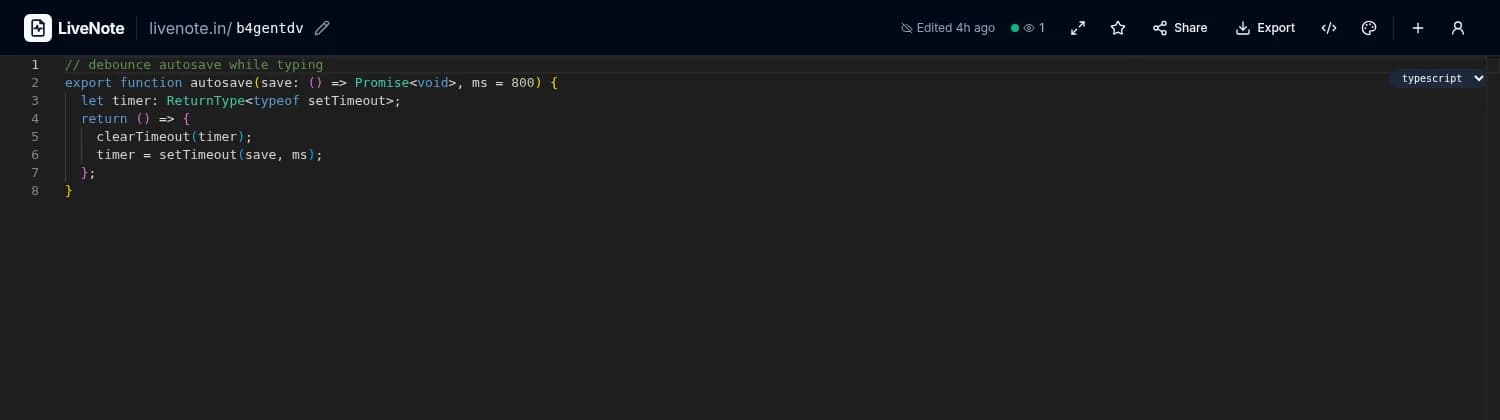
livenote.in/k3f9wq
Share the link
Send the URL to anyone. They open it in a browser and see your page, read-only or with edit rights, your call.
Watch it come alive
Everyone on the page sees edits as they happen, with live cursors showing who is writing where.
Real-time, not eventually
LiveNote keeps everyone on the same page while the page is still moving. Edits appear for every reader the moment they land.
Ship list is live. Latecomers are never behind.
- Live cursors show who is writing where
- Presence dots and a viewer count for the room
- Leaving the page flushes the save first
Small tool, serious toolkit
Everything below ships today, no coming-soon placeholders.
Real-time sync
Autosave as you type, presence dots, live cursors, and a viewer count. Everyone stays on the same page, literally.
Four editor modes
Rich text, Markdown, plain text, and code with syntax highlighting in 20+ languages.
End-to-end encryption
Sealed in your browser with AES-256-GCM. The server stores only ciphertext it cannot read.
Share it your way
Read-only or editable links, one-time burn links, QR codes, and passwords. You decide who sees and changes what.
Private by design
Argon2id-hashed passwords, CSRF protection, rate limiting. Sign in or don’t; anonymous notes work.
Everything it does, going past
The full list from the features page, on the move. Rest a finger or a cursor on a row to stop it, then press a feature to read more.
- Read-only links
- Editable links
- One-time links
- Burn after reading
- Password protection
- Expiry + view limits
- QR codes
- Custom note URLs
- End-to-end encryption
- argon2id hashing
- Lock URL, content, or note
- CSRF · XSS · rate limits
- Anonymous notes
- TOTP two-factor
- Dashboard + trash
- Tags and folders
- Full-text search
- Star shared notes
- Command palette (⌘K)
- Export TXT → DOCX
- Attachments: photos, GIFs, video, docs · 50 MB max
- Installable PWA
- 18 themes
- Optional AI assist
- Free, no account
Made for pages that move fast
Read the details
All 6 guidesQuestions people actually ask
Is LiveNote free?
Yes. Creating notes, sharing them, and editing together in real time are free, and you can use LiveNote without an account.
Do I need to sign up?
No. Notes work anonymously from the first click. A free account is optional: it keeps your notes in a dashboard, syncs them across devices, and adds two-factor authentication.
Who can read my notes?
Anyone with the link can open a note unless you protect it. Password protection gates the page, and end-to-end encryption goes further: the note is encrypted in your browser, and the server stores only ciphertext it cannot read.
Can other people edit my note?
Only if you give them an editable link or share the note with edit rights. Plain links are read-only, and you can hand out one-time or burn-after-reading links for anything sensitive.
What happens when I stop typing?
Your note is saved automatically; a status indicator in the header shows Saving… / Saved. Made a bad edit? Undo and redo are one click away in the toolbar.
Your next page is one click away
Open a fresh page, write the first line, and send the link. That is the whole onboarding.
Start writing